
Saloma AI / Pricing
AI voice agent pricing,
quoted for your calls.
Your price depends on call volume, how many calls run at once and your setup. Tell us what you need. We will send a quote showing usage rates, what is included and any extra charges.
Updated
What affects the price?
Compare total costs.
Not just minutes.
Request a quote based on your call volume, capacity and setup. Tell us the calls you expect and the tools you need. We will explain included usage and extra charges before launch.
Request pricingYour quote includes these factors
- Call usage
- Phone and website voice usage, plus outbound call attempts
- Call capacity
- How many calls can run at once, plus agent licences
- AI services
- Voice models, speech-to-text, reports and document processing
- Other services
- Phone connections, workflows, messages, recordings and storage
Internal tests, previews and document extraction can incur charges. Included usage and rates depend on your agreed plan. Ask which tests and services are chargeable.
Provider price changes need administrator approval. Contract rates and account markups are managed separately. Past usage keeps the rates originally applied.
How it works
How we build your quote.
- 01
Tell us about your calls
Share your monthly call volume, busiest hours, calls at the same time, languages and current phone setup.
- 02
We map the costs
We match your needs to call usage, call capacity, AI services and other services such as recordings.
- 03
You get a written quote
Your quote explains included usage, extra charges and which tests are chargeable, before you launch.
Before you compare
Questions to ask
any AI voice vendor.
- Is the per-minute rate all-in, or are speech, AI model and phone charges extra?
- How many calls can run at the same time on my plan?
- Are test calls, previews and document uploads charged?
- What happens to my rates when a provider changes its prices?
- How long are recordings and transcripts kept, and does storage cost extra?
Ask us the same questions. We answer them in your written quote.
Read pricing FAQsUsage and billing
Check usage.
Download reports.
Filter usage by date, agent, workspace and service. Download PDF and CSV usage reports. You can also download invoices issued to your business.
Usage reports and issued invoices are separate documents. Final billing needs complete usage records and agreed rates.
View reports and usageSee the product
Review call results and usage.
Check answer rates, call outcomes, quality measures and detected languages.
Real product screen with sample data. Controls depend on your role and setup.
View the console tour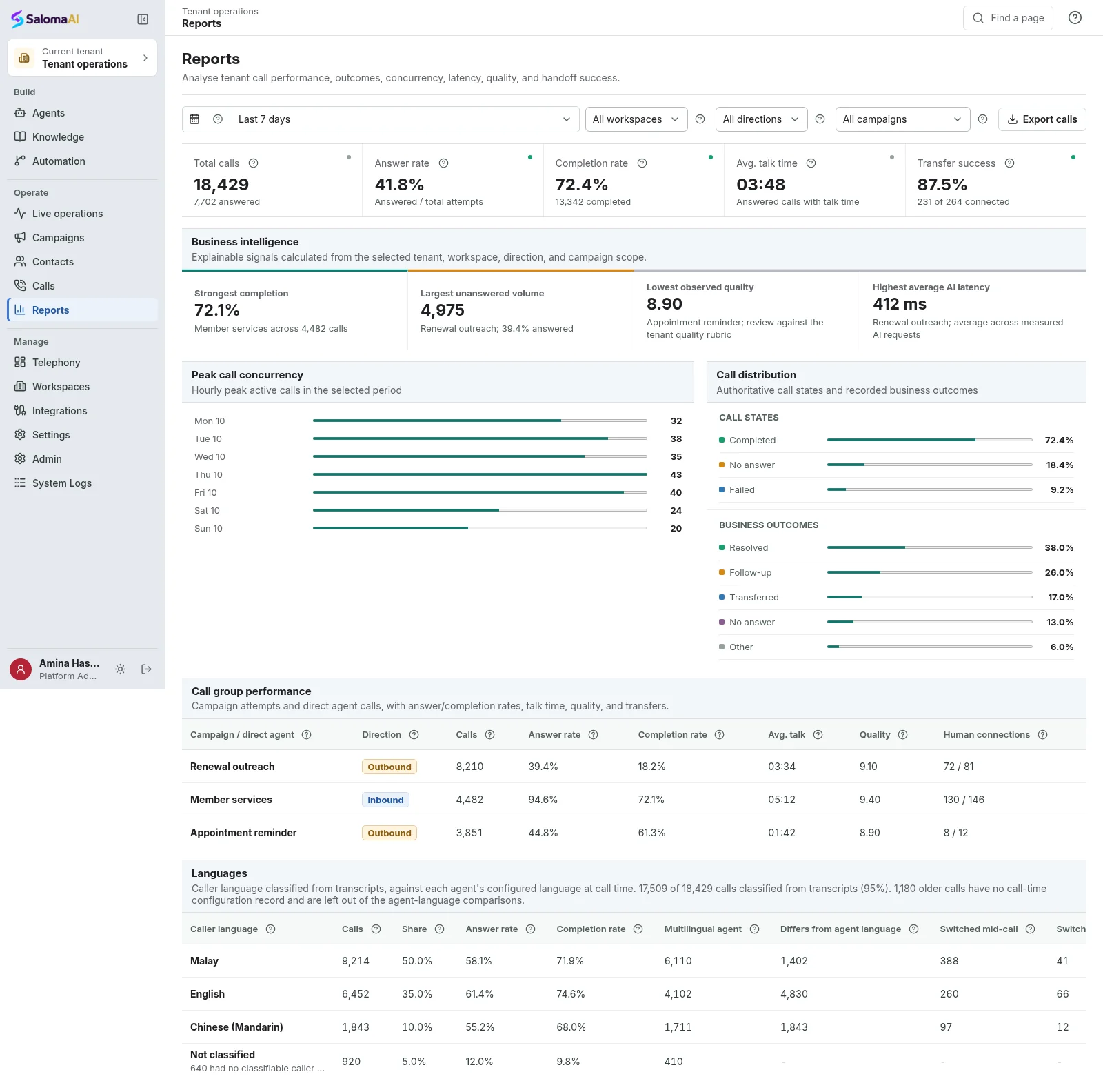
Ready when you are
Let Saloma answer
your next call.
Tell us how your calls work today. We will show you Saloma handling them, in your languages and with your tools.
Can’t wait? Tap the green call button and talk to Saloma now.
Already a customer? Sign in to manage your agents and calls.